Self-Hosted Analytics Without Cookies
Replace heavyweight trackers with privacy-friendly, self-hosted analytics: what to measure, how to deploy it with Docker and Caddy, and the legal basics.
 Dragos3 min read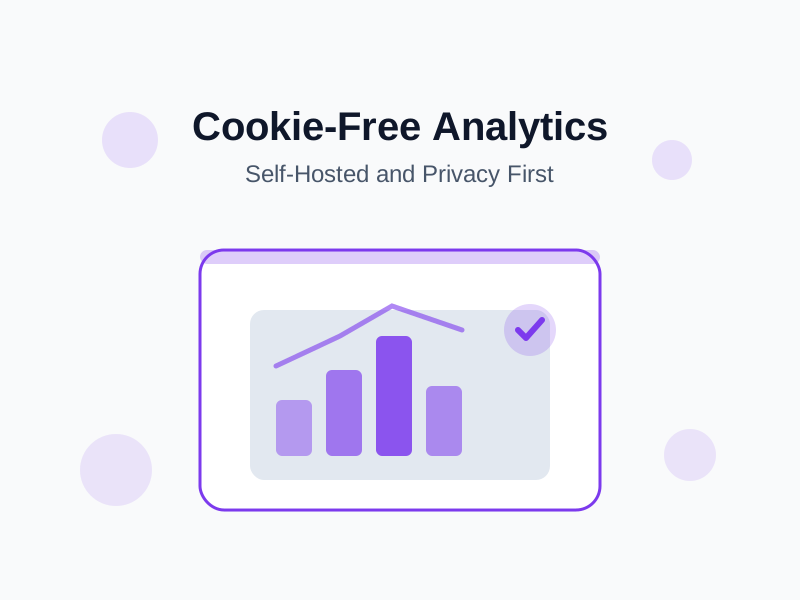
Most sites do not need a tracking platform that follows visitors across the internet. They need to know which pages are read, where the traffic comes from, and which posts are worth writing more of. That is a small, boring dataset — and it can live on your own server.
What You Actually Need to Measure
Start from the decisions you make:
- Which posts get read, and which get abandoned.
- Which sources send real readers, not bounces.
- Which pages convert — newsletter signups, downloads, contact.
- Whether the site is slower for some visitors.
None of those require persistent identifiers, cross-site tracking, or a data broker.
Why Cookies Became a Liability
Cookies that track visitors across sites require consent banners in most of the world, endless retention decisions, and a data-processing agreement with whichever third party sees the data. Many analytics products earn their keep by collecting more than you asked for. A cookieless, first-party alternative removes most of that surface area.
Note the nuance: cookieless analytics can still process personal data such as IP addresses. Keeping the data on your own server reduces the number of parties involved, but it does not make privacy obligations disappear.
The Options
| Tool | Shape | Good for |
|---|---|---|
| Umami | Node + Postgres, friendly dashboard | Self-hosting with a familiar UI |
| Plausible | Lightweight, polished | A hosted or self-hosted single dashboard |
| GoatCounter | Tiny Go binary + SQLite | Minimal servers and low maintenance |
| Matomo | Full-featured, plugin ecosystem | Teams replacing an enterprise suite |
All four are open source. The deployment below uses Umami as the example because it is a good default and runs comfortably on the same VPS as a blog.
Deploying Umami with Docker
Compose keeps the app and its database together:
services:
  umami:
    image: ghcr.io/umami-software/umami:postgresql-latest
    restart: unless-stopped
    environment:
      DATABASE_URL: postgresql://umami:change-me@db:5432/umami
      APP_SECRET: replace-with-a-long-random-string
    depends_on:
      - db
  db:
    image: postgres:16-alpine
    restart: unless-stopped
    environment:
      POSTGRES_DB: umami
      POSTGRES_USER: umami
      POSTGRES_PASSWORD: change-me
    volumes:
      - umami-db:/var/lib/postgresql/data

volumes:
  umami-db:
Caddy gives it a hostname and a certificate:
stats.example.com {
  reverse_proxy umami:3000
}
Change the default password immediately after the first login, and put the dashboard behind a strong one.
The Tracker
Add a single script to your site’s layout:
<script
  async
  src="https://stats.example.com/script.js"
  data-website-id="YOUR-WEBSITE-ID"
></script>
No cookie is set, and the script is small enough that it will not compete with your content for bandwidth. If you use Astro, drop it in the base layout so every page reports.
Metrics That Change Behavior
Once data is flowing, ignore the visitor counter and watch these instead:
| Metric | What it tells you |
|---|---|
| Top pages | What readers actually want |
| Referrers | Which communities are worth your time |
| Bounce rate by post | Where the intro loses people |
| Conversion events | Whether the call to action works |
| Load times | Where performance needs attention |
A Note on Consent
Rules vary by jurisdiction. In the EU, analytics that does not use cookies is often exempt from the banner requirement, but it is still processing data and must be documented in your privacy policy. Talk to a lawyer if your situation is regulated; do not treat a blog post as legal advice.
Conclusion
Self-hosted, cookieless analytics gives you the answers you need without the surveillance and the banner. You already run the server — adding one more container is a small price for owning the numbers.